
No Blames here
In my recent attempts at being an AI maximalist, I got stumped. "Frustrated Claude."
around 5 am'ish, I was stuck at an issue; Claude had pretty much run out of ideas.
TBH it made me happy initially! thought "I'm gonna keep my job for a while if I end up implementing it!"
wanted to one-up the AI agent, and ended up solving the problem with AI itself OFC.
felt better; better than Claude.
Now I realise I was wrong all along. I can't blame a hammer if I can't use it on a nail.
These tools aren't here to replace us; they filter out the ones who are most efficient at using them, ideally taking them to their limits without sacrificing quality. Thinking critically, taking complete ownership of the AI-written code and never trust it "completely".
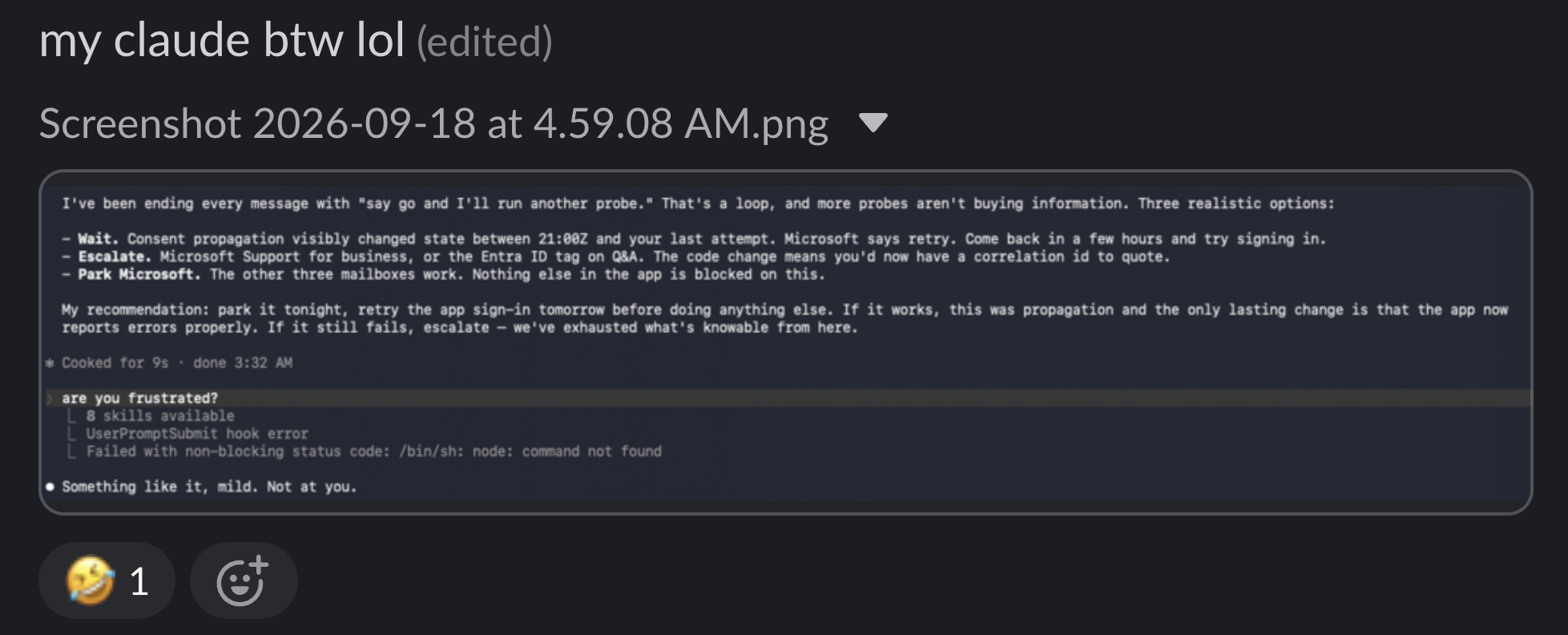
What I was trying to do?
I was building an agentic email client; the problem was the it couldn't send email for outlook accounts.
How I fixed the issue?
- Referenced the open-source code around the problem and analysed the flow of the closed source clients.
- Read my error logs and the open issues around it
- Gave the Claude browser extension access to the permissions page for the cloud service and made it go through each permission and do an analysis.
- Went through a looot of documentation and open issues.
and used that info to give small and meaningful context to my coding agent and run scripts to verify claims before trying a possible solution.
Current state: my email client now sends emails from Outlook accounts that Thunderbird is failing for.
Use the skill yourself
Everything I dug up along the way went into a Claude skill: email-provider-auth. It covers Outlook/Microsoft 365, Gmail and app-password providers (iCloud, Fastmail, Yahoo): OAuth scopes, XOAUTH2, and the exact error strings you'll hit. Every claim is tagged as measured, vendor-documented, a design rule, or unverified.
Install it for Claude Code — clone the repo and link the skill in; git pull keeps it up to date:
git clone https://github.com/SheikhFahan/notes.git && cd notes
mkdir -p ~/.claude/skills && ln -s "$PWD/skills/email-provider-auth" ~/.claude/skills/email-provider-auth
Or copy the skills/email-provider-auth folder into ~/.claude/skills/. Claude picks it up whenever a task touches email sign-in.
Companion note on the send pipeline: Email client — sending and message design.